Pre-Visualization Scaffolding: Audio-Bound Voice Sheets, Neutral-Gray Asset Isolation, and 3D Blockout Video Routing
AI filmmakers are eliminating character voice drift and camera misalignments by combining audio-bound video reference sheets, neutral gray asset turnarounds, and 3D pre-visualization blockouts. By using phonetic pangrams for vocal performance and testing scene structure in draft mode, directors achieve precise multi-shot continuity while minimizing credit expenditure.
 JOEY
 Thomas Lundström
 Dan Kieft
 Higgsfield AI

Top learnings
Pairing phonetic pangrams with emotional voice tags on formatted video tracks enables diffusion engines like Seedance 2.5 to lock character vocal performance without mid-scene audio drift.
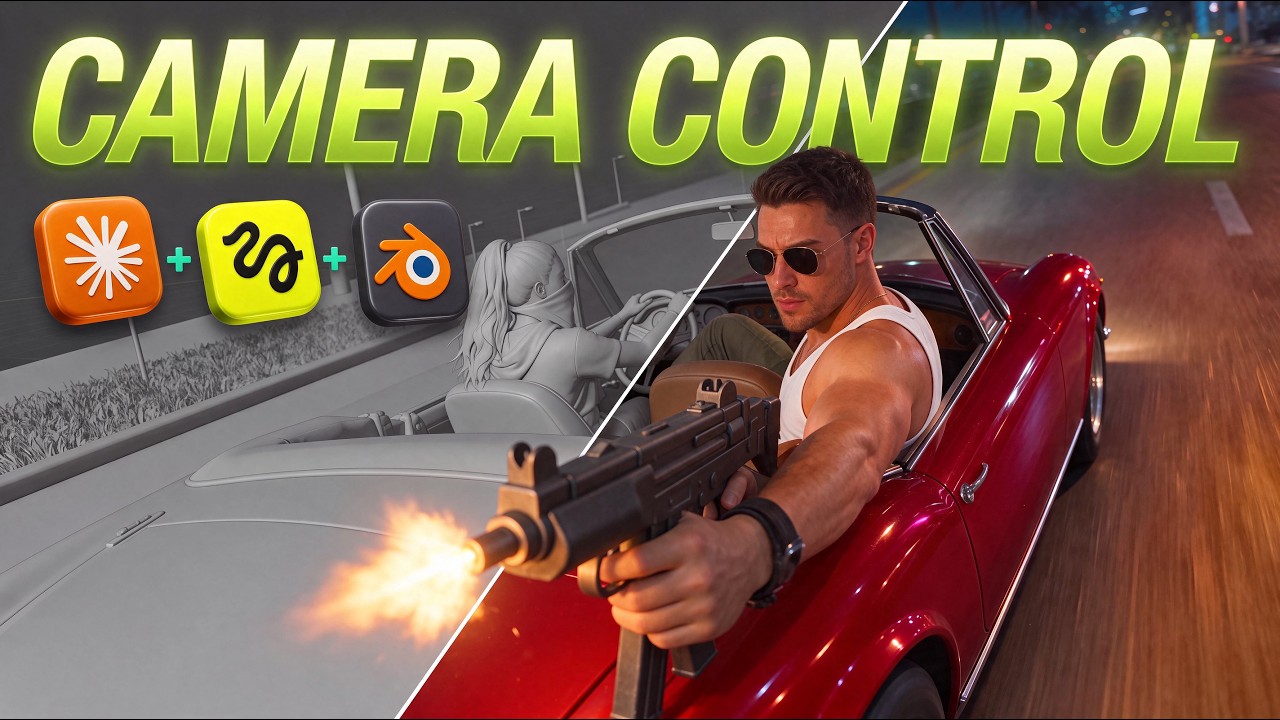
Executing 2D black-and-white storyboards or 3D Blender pill blockouts before video rendering validates scene pacing and framing while preventing wasted credit spend.
Structuring character sheets on neutral gray backgrounds with headless body panels isolates facial geometry and prevents environment light bleed across multi-shot cuts.
How do audio-bound character sheets and pre-visualization reduce video iteration?
AI video production is evolving from open-ended text prompting toward structured pre-visualization and bound audio-visual character sheets. Directors previously struggled with voice instability, where video generation models selected variable voice profiles from a shared pool across different render iterations. By binding formatted voice recordings and structural blockouts into diffusion models before initiating full renders, creators eliminate voice shifting and visual drift across long commercial sequences.
Simultaneously, creators are moving storyboard and framing validation upstream. Rather than generating expensive final video clips to test sequence structure, filmmakers use low-cost 2D storyboard passes or lightweight 3D blockout sequences. This dual approach locks spatial geometry, camera movement, and vocal identity prior to committing credits to high-resolution video outputs.
Read source excerpts 2
Blah blah blah. >> But no matter how you prompt, seed dance grabs from a pool of voices and the pool is very shallow as you are well aware. Today changes all of it. I'm going
JOEY
system comes into play. We're still going to use a well ststructured prompt along with highquality assets. But then also adding a reference video for the camera moves and
Thomas Lundström
How do creators differ in vocal reference binding and spatial pre-visualization?
Creators agree that controlling diffusion outputs requires structural references, but their technical implementations depend on project requirements. Creator Joey establishes character voice consistency by generating a phonetic pangram embedded with emotional tags inside ElevenLabs. He imports the audio into an editor, places it on a blank video track formatted to whole-second lengths, and feeds the resulting clip into Seedance 2.5 alongside a character turnaround sheet to force the model to capture facial micro-expressions and vocal cadence. Creator Dan Kieft adopts a similar handoff by binding 4- to 30-second audio files directly to asset cards inside Higgsfield Cinema Studio to generate recognizable actor performances.
For spatial pre-visualization, creator Thomas Lundström drives Blender camera sequences using Claude Code, deploying simple colored pill shapes as character stand-ins. These pill shapes convey positioning without risking unintended performance translation into the final video model. In contrast, Dan Kieft validates scene structure by asking Claude via Model Context Protocol (MCP) to render black-and-white 2D storyboard panels in Seedream 5.5 before running video renders.
Read source excerpts 2
going to drag that onto the audio channel. You're going to make sure the video is in whole seconds. So once you drag it onto your audio channel, I usually just take a blank
JOEY
like nothing else in the simple render, so it stands out and is easy for the AI models to understand. And secondly, because it's just a simple pill, there's no risk that the
Thomas Lundström
What step-by-step workflow connects gray asset sheets, blockouts, and draft rendering?
Filmmakers can combine asset preparation, pre-visualization blockouts, and draft testing into a structured four-stage production pipeline. First, construct master character sheets against neutral gray backgrounds in models like Soul Cinema or SeaDream 5.5. Format the sheet with a single three-quarter facial close-up alongside headless front and back full-body panels to prevent light bounce bleed and multi-face hallucination.
Next, generate your scene pre-visualization. For 3D camera sequences, use Claude Code to construct Blender blockouts, then take a viewport screenshot of the 3D environment to generate matching high-fidelity location references in SeaDream 5.5. Upload the spatial blockout video, tagged asset references, and formatted voice clips into Higgsfield Cinema Studio.
Finally, execute initial video generations in 480p draft mode (costing 72 credits for a 24-second cut versus 384 credits in 1080p). If minor flaws occur—such as unreadable console text—capture the problematic frame, clean the text in Seedream 5.5, and re-inject the corrected image back into the engine as a reference keyframe before upscaling to hero 1080p renders.
ReelStack suggests adopting this draft-and-blockout pipeline for commercial spot campaigns and multi-character dramatic shorts to maintain visual framing and actor identity without budget overruns.

Read source excerpts 2
which the AI uses as the face reference and two full body views [music] for the body proportions front and back without the head so the AI has only one face to copy. While
Dan Kieft
color="#FFFFFF">but the cycle names next to it are random words.</font> <font color="#FFFFFF">So we need to correct just the lettering.</font> <font color="#FFFFFF">We want to
Higgsfield AI
What prompt rules, rendering disclaimers, and model limits constrain these methods?
Despite the precision of audio reference sheets and 3D blockouts, directors must account for specific prompt dependencies and model constraints. When pairing Blender blockouts with diffusion engines like Seedance 2.5, prompts must include explicit negative disclaimers telling the model that the reference video is strictly for blockout framing. Without this explicit instruction, the diffusion model may inadvertently copy the grayscale aesthetic and simplified geometry of the 3D viewport render.
Additionally, prompt interpretation remains prone to literal hyperbole. In commercial tests, specifying descriptions like very white teeth caused Seedream and Seedance to generate unnaturally glowing teeth, requiring prompt adjustments and image reference fixes. Furthermore, while 480p draft mode enables rapid blocking checks, fast-action sequences or complex gear adjustments can still produce visual distortion, requiring directors to generate multiple draft iterations before locking final 1080p hero passes.

Read source excerpts 2
This specific section of the prompt tells the video model that the Blender reference is only a blockout reference video and it's not going to copy any of the look from the
Thomas Lundström
might be causing it.</font> <font color="#FFFFFF">Yeah, so it says very white teeth.</font> <font color="#FFFFFF">Looks like the model took it a little too far.</font> <font
Higgsfield AI
Key moments to explore
Optional deep divesWant to see a technique in action? Jump into the source videos. These AI-extracted timestamps may be approximate.
- 04:43 ↗AI video models like Seedance 2.5 select voices from a shared pool, causing character voice variations across different generations unless an external reference workflow is used.JOEY · The Free Claude Skill That Gives AI Characters a Real Voice (entire workflow)
- 01:44 ↗Setting up the system requires installing the Claude desktop app, Blender, and the Higgsfield plugin for Blender.Thomas Lundström · I Directed GTA VI Style AI Scenes in Blender (Seedance 2.5)
- 01:09 ↗High-quality input assets are essential for realistic AI video output, as generating video from poor or plastic-looking assets yields low-quality results regardless of prompt adjustments.Dan Kieft · How I Make Cinematic AI Ads with Fable 5.2 & Seedance 2.5
- 01:28 ↗Developing storyboards first with an LLM helps validate framing and story beats prior to spending video generation credits.Higgsfield AI · How I Get Perfect AI Realism in Every Shot (3 Steps)
- 06:36 ↗A phonetic pangram covers all phonemes and speech elements of a spoken language to properly capture a character's vocal range and articulation.JOEY · The Free Claude Skill That Gives AI Characters a Real Voice (entire workflow)
- 02:38 ↗Combining structured text prompts with a 3D blockout reference video provides exact camera control before spending generation credits.Thomas Lundström · I Directed GTA VI Style AI Scenes in Blender (Seedance 2.5)
Put it into practice
Plan camera movement with Blender →Practical steps and checks before committing to production.Turn an AI film brief into a shot plan →Practical steps and checks before committing to production. Get the practical weekly briefing →The useful ideas in one email. Subscribe to keep learning. Need a filmmaker for your project? →Tell us what you want to make and submit a project brief.Go to the source
4 videos