Anchoring Subject Scale, Automated Multi-Clip Edit Generation, and Keyframe Interpolation Rules for Live-Action AI Pipelines
Integrating generative assets into real footage requires distinct workflows for single-shot transformations versus automated multi-clip edits. By relative scale anchoring, removing redundant camera descriptions from motion-guided prompts, and using distinct cuts for keyframe diffusion, directors can avoid spatial hallucinations and timeline stalls.

Top learnings
Anchor subject scaling by defining generative asset size relative to real-world objects in the shot rather than relying on unconstrained prompts.
Omit text camera commands when using motion transfer or video-to-video tools, as redundant text instructions conflict with source motion vectors.
Space out multi-keyframe diffusion generation across distinct shot cuts, as keyframes with near-identical framing cause interpolation loops and motion stalls.
How do object swap and motion transfer modes differ when blending AI assets into live footage?
Integrating generative elements into real video requires choosing between preserving the surrounding set or rebuilding the environment around a target performance. In Higgsfield Genjutsu, creator Jahan demonstrates that object swap mode retains the surrounding real-world environment while replacing a designated subject or prop. Conversely, motion transfer mode locks the camera trajectory and performance timing from the source clip while completely rebuilding the surrounding background from reference images.
For commercial visual effects, ReelStack suggests using object swap when adding digital creatures or props into real locations, while reserving motion transfer for complete virtual set extensions where the live actor's movement must be preserved. However, Diego Galvao notes that single-shot transformations are limited to individual cuts; multi-shot edits require higher-level orchestration tools like Higgsfield Katana to process continuous sequences.

Read source excerpts 2
before writing any prompt. We had two options, motion transfer and object swap. In my experience, motion transfer keeps the motion, camera, and timing while rebuilding the
CyberJungle
clip at a time. It takes an existing video and replaces that character or prop or location and Katana, it transforms multiple clips. It's a whole edit. >> You think you know
Diego Galvao
Why should text camera instructions be excluded from motion-guided video prompts?
When driving video diffusion with source footage, adding explicit camera commands like pan or tracking shot into text prompts frequently causes motion corruption. Creator Jahan demonstrates that because the underlying source clip already dictates optical flow, camera tracking, and subject pacing, including redundant camera descriptions in text forces the neural model to fight its own visual reference.
To prevent spatial hallucinations when inserting AI characters, Jahan establishes a two-part prompting structure: first, explicitly lock the base clip's movements and camera; second, define the generative subject's scale relative to a physical anchor in the shot, such as specifying a cat as one-third the size of an adjacent human actor. ReelStack suggests standardizing relative scale anchors across all live-action integration plates to prevent subjects from rendering as giant or microscopic anomalies.
 CyberJungle
 Read source excerpts 2
scale of the cat in relation to something on the scene. In this example, I use myself as a scale unit. And I said, "Cat is approximately 1/3 of the size of the man." This is
CyberJungle
clip you provide. This owns the motion and camera. So, describing them just gives the model a chance to fight its own reference. This example you see here is one of the
CyberJungle
How do agentic tools execute multi-clip video edits from a single avatar reference?
Manual character replacement across multi-shot commercial edits traditionally requires re-prompting, generating, and cutting individual shots in a non-linear editor. Creator Diego Galvao illustrates an automated workflow using Higgsfield Katana connected to Claude via a Model Context Protocol skill interface. After selecting a video template and uploading a character reference sheet, the system breaks down the master timeline into discrete frame ranges, renders individual replacement segments, and re-analyzes generated output.
Katana then performs automated inner-cutting to match the exact timing, edit cuts, and camera angles of the original reference template. However, Galvao observes a significant credit cost trade-off: generating four short segments (two 8-second clips at 128 credits each and two 12-second clips at 192 credits each) consumed over 600 credits for a single 20-second edit pass. Filmmakers must weigh automated timeline assembly against credit budgets before initiating full multi-clip passes.
 Diego Galvao
 Read source excerpts 2
workflow. It's a set of instructions and when Claude connects to Katana or connects to Higgsfield, it's going to read a set of instructions and work those out for you. I've
Diego Galvao
beat, specific pace, change of angles, exact movements. So, these inner cuts are part of Wakatana does. It will analyze all the frames, and then do the inner cutting for you.
Diego Galvao
Why do similar sequential keyframes cause motion stalling during multi-keyframe generation?
Multi-keyframe video generation allows directors to anchor specific narrative points across extended takes. However, testing in Kling 4 by a video creation specialist reveals that setting adjacent keyframes with nearly identical camera framing causes diffusion interpolation to fail, causing character movement to stall or slow dramatically across the generation window.
This motion freeze occurs because diffusion models struggle to interpolate minor structural variances when spatial coordinates remain virtually static between keyframes. The creator demonstrates that keyframes function effectively only when representing distinct shot transitions or major visual changes. ReelStack suggests using multi-keyframe mode strictly for multi-angle storyboards or distinct camera cuts, avoiding keyframe anchors for continuous subtle performance beats within a single static shot.
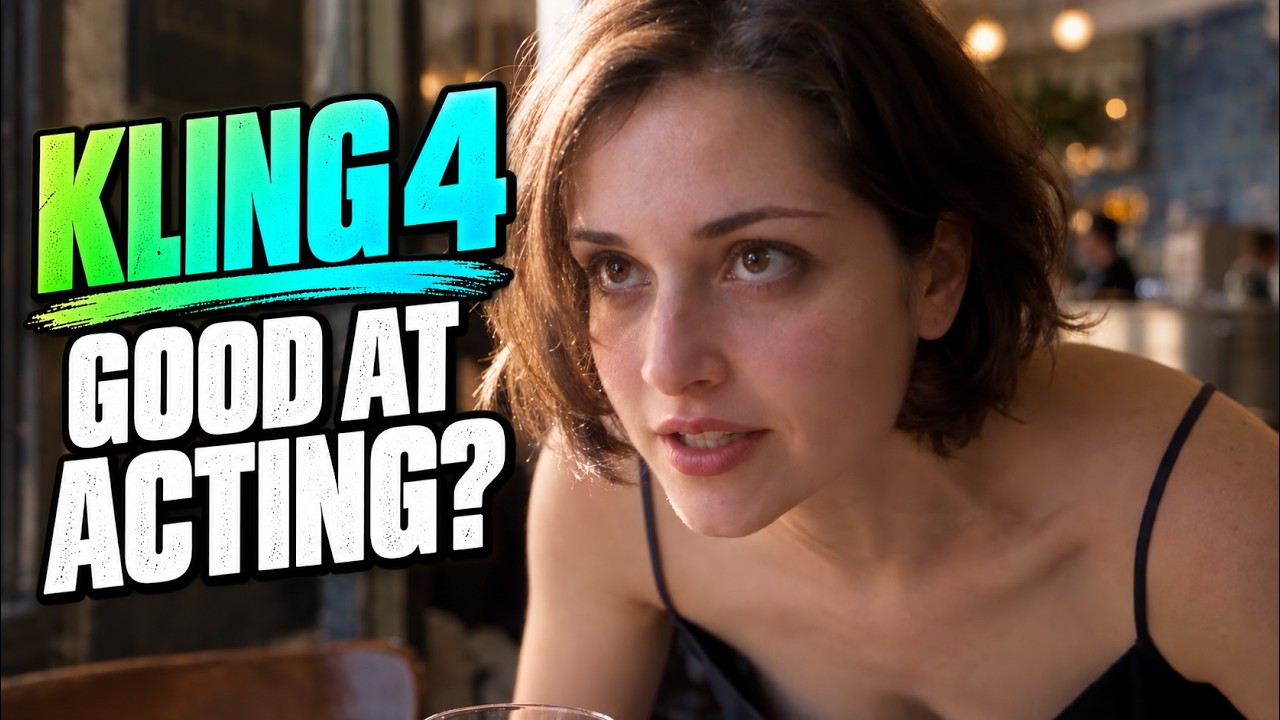
 AI Video School
 Read source excerpts 2
first three keyframes are really good. I think the problem is when you do a keyframe between two similar shots, it seems like it has trouble with that. Like it kind of slows
AI Video School
everything down. This one would have been great if he just kept going. I think the keyframes work well when it's like here's this shot, then we're going to cut to this shot,
AI Video School
Key moments to explore
Optional deep divesWant to see a technique in action? Jump into the source videos. These AI-extracted timestamps may be approximate.
- 01:42 ↗Genjutsu uses the source video to establish motion, camera tracking, and timing, requiring prompts to specify only what changes and what stays locked.CyberJungle · I Mixed AI With Real World Footage Using Higgsfield Genjutsu
- 00:00 ↗Higgsfield Katana automates an entire multi-clip edit, unlike Genjutsu which replaces characters, props, or locations one single shot at a time.Diego Galvao · How to use Higgsfield Katana
- 01:40 ↗Kling 4's video editing feature can swap a character across dynamic camera movement and water puddles using an input source video and a character reference sheet.AI Video School · Is Kling 4 Better Than Seedance 2.5 for AI Films?
- 02:18 ↗Motion transfer preserves the source timing and motion while rebuilding the scene, whereas object swap alters specific characters or objects while preserving the surrounding environment.CyberJungle · I Mixed AI With Real World Footage Using Higgsfield Genjutsu
- 02:02 ↗Katana functions through Claude by installing the Higgsfield tool skill, allowing Claude to read and execute the editing instructions.Diego Galvao · How to use Higgsfield Katana
- 03:39 ↗Kling 4 can realistically simulate underwater physics, rendering dynamic hair, floating fabric, and bubble movement.AI Video School · Is Kling 4 Better Than Seedance 2.5 for AI Films?
Put it into practice
Get the practical weekly briefing →The useful ideas in one email. Subscribe to keep learning. Need a filmmaker for your project? →Tell us what you want to make and submit a project brief.Go to the source
3 videos