Slice-Based Reference Trimming, Programmatic Remotion Templates, and Model Cost Routing
AI filmmakers are moving away from full-clip automatic camera generation and prompt-based motion graphics. By slicing source plates into brief three-to-five second NLE cuts before generating post-production camera coverage, filmmakers avoid model hallucination. For motion graphics, connecting LLM agents to programmatic Remotion code enables scalable, data-driven video automation that bypasses traditional manual keyframing.

Top learnings
Trim wide-shot video plates into isolated 3-to-5 second cuts inside an NLE before processing coverage in Seedance 2.5 to prevent subject and prop hallucinations.
Use programmatic Remotion templates driven by GPT-6 Astra for bulk data-driven motion graphics instead of regenerating prompt-based AI videos.
Route dialogue scenes to MiniMax H3 for natural lip sync and lower render costs, reserving Seedance 2.5 for complex physical motion and heavy multi-reference stacking.
Why does trimming source plates into short slices prevent coverage hallucinations?
When filmmakers attempt to generate alternative camera angles or close-ups from a single wide shot, applying automated text prompts or time-coded directions across a long video clip frequently fails. Video models like Seedance 2.5 misinterpret background elements over extended durations, turning props into unintended objects, shifting actor eyelines, or injecting sudden slow-motion effects.
Creator Caleb from Curious Refuge demonstrates that the solution lies in pre-editing the source plate inside a Non-Linear Editor (NLE) like Adobe Premiere Pro. By slicing the wide shot into short three-to-five second clips corresponding directly to the desired cutaway, editors can export isolated action beats. Uploading these brief, targeted slices as video-to-video references into Seedance 2.5 enforces strict motion consistency while allowing the model to reframe the scene accurately.
 Curious Refuge
 Read source excerpts 2
the entire 30-se secondond video clip, you're only going to upload the 3 to 5 seconds that you need for that individual shot. Now, I want to show you really quickly how I
Curious Refuge
needed to pull off, and if you're working on a film project, that probably is the case, then you probably again need to do this singleshot method where you define the
Curious Refuge
How do programmatic Remotion templates replace prompt-based motion graphics?
While AI video models like Seedance 2.5 and MiniMax H3 excel at rapidly animating stylized 2D visuals from text prompts, they lack structural control when generating scalable, data-driven motion graphics. Prompting diffusion models for hundreds of localized marketing assets or dynamic chart animations leads to visual drift and high cloud credit consumption.
Creator S3 shows that combining conversational agents like GPT-6 Astra with Remotion—a framework that renders video directly from React code—solves this scalability bottleneck. By exposing key elements as editable input parameters, filmmakers convert a single motion graphic into a reusable code template. Connecting these parameters to external databases or text files enables automated batch rendering of hundreds of customized videos in plain English without opening traditional software like After Effects.

 FRMWRKD-EXPLAINED
 Read source excerpts 2
number one reason is you can do things programmatically. So the biggest strength really of reotion is that you can do things programmatically. Let's just assume you have a
FRMWRKD-EXPLAINED
instead of this is fire, we change it maybe to this is hot. But where the true power comes in is if you connect now this here with a database. So imagine you would collect all
FRMWRKD-EXPLAINED
Which generation engine best balances camera tracking, lip sync, and compute cost?
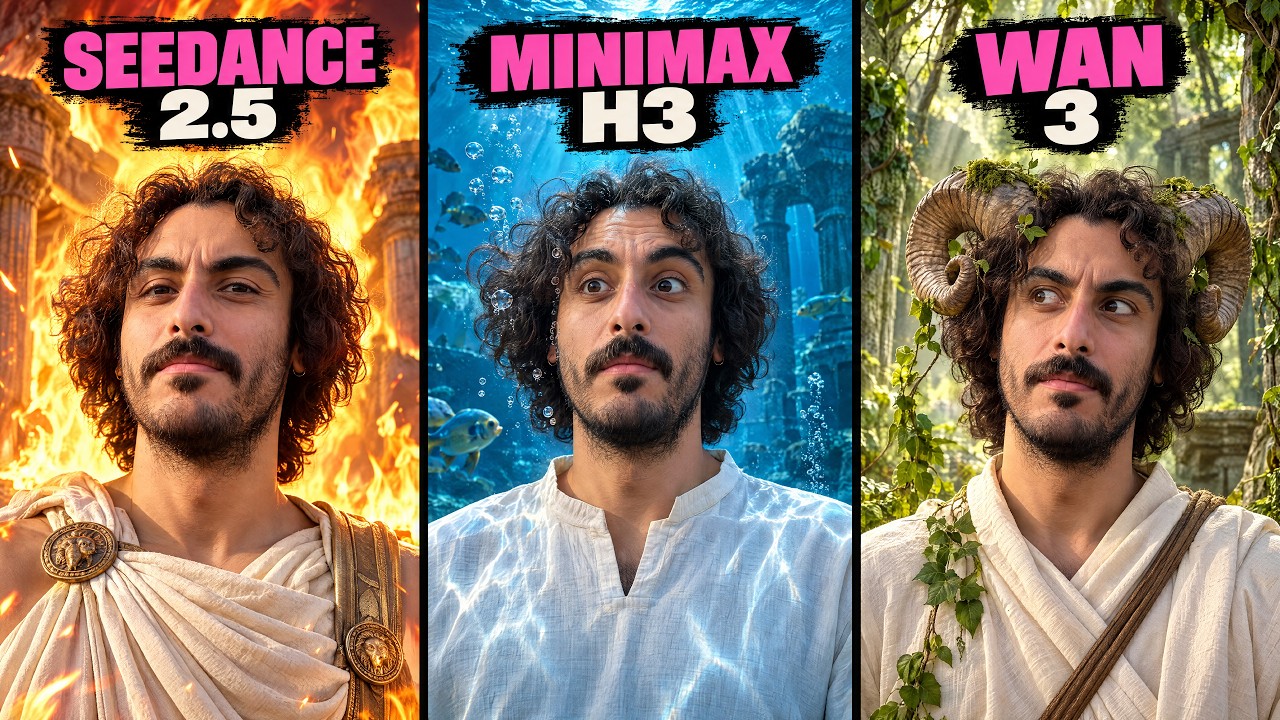
Evaluating video generation engines requires balancing shot requirements against credit costs. In systematic blind benchmark tests conducted by creator CyberJungle, Seedance 2.5 achieved superior scores in dynamic camera tracking, physical momentum, and multi-reference retention, holding up to five character and background reference images without visual morphing. However, Seedance 2.5 represents a premium tier, costing roughly 1,955 credits per 15-second 720p clip on OpenArt or $25 per 24-second 1080p pass on Magnific.
Conversely, MiniMax H3 proved superior for character acting, emotional expression, and natural dialogue lip sync while consuming under half the credit overhead (900 credits on OpenArt). Furthermore, MiniMax H3 is available as an open-weight model—meaning the underlying neural network parameters are publicly accessible for local hardware installation, allowing creators to run unlimited dialogue passes on local GPUs without recurring cloud fees.
 CyberJungle
 Read source excerpts 2
to say one and two's micro expressions and gestures were equally good. Now let's reveal the result. The video I picked in this challenge was Minimax H3. Second best was Cash
CyberJungle
strong choice. There's additional element that Minimax H3 is actually openweight local model. If you don't want to waste credits or use your credits for this model, you can
CyberJungle
How can directors structure a cost-optimized, multi-shot generation pipeline?
To build a reliable and cost-effective production workflow across narrative and commercial projects, ReelStack suggests establishing a clear operational split between pre-visualization, graphic assembly, and primary video rendering.
Begin by building recurring graphics, titles, and lower-third overlays using programmatic Remotion templates controlled by GPT-6 Astra, avoiding AI video generation fees for text-driven elements. Next, import raw wide-shot footage into an NLE and trim all coverage targets into standalone three-to-five second clips before submitting them to cloud models. Route dialogue-heavy shots to MiniMax H3 or local open-weight deployments to lock lip sync at minimal cost, reserving Seedance 2.5 strictly for dynamic action sequences or multi-reference composite shots.
Filmmakers must remain aware of critical tool constraints. Full-clip automated reframing prompts in cloud suites frequently result in wasted credits and unrenderable takes. Furthermore, Seedance 2.5 restricts maximum source video ingestion to 30 seconds, making upfront NLE trimming mandatory for long-form source material.
Read source excerpts 2
that's going to cost you about 25,000 credits, which is $25. So this generation cost us $25. And quite a few of the other generations that I'm going to show you inside of this
Curious Refuge
suit different projects. In my test for example, Miniax H3 was the fastest model and Cance 2.5 was the slowest. If speed matters for you and if pricing matters for you,
CyberJungle
Key moments to explore
Optional deep divesWant to see a technique in action? Jump into the source videos. These AI-extracted timestamps may be approximate.
- 02:29 ↗Automatic full-clip camera angle shifts in Seedance 2.5 often result in visual hallucinations and unwanted subject changes.Curious Refuge · This AI Trick Magically Creates New Camera Angles
- 01:04 ↗After Effects offers full design control for professional motion graphics, whereas Remotion excels at programmatic video rendering and bulk asset automation.FRMWRKD-EXPLAINED · GPT-6 + Remotion! How to Automate Motion Graphics With One Skill
- 00:59 ↗Seedance 2.5 demonstrates stronger camera motion handling and dynamic smoothness during action sequences compared to MiniMax H3 and Wan 3.0.CyberJungle · Seedance 2.5 vs MiniMax H3 vs WAN 3.0 (Who WINS?)
- 05:09 ↗Using time code prompts to command angle changes in AI video models yields inconsistent coverage and hallucinated props.Curious Refuge · This AI Trick Magically Creates New Camera Angles
- 02:21 ↗AI video generation tools like Seedance 2.5 provide maximum speed when animating complex 2D motion graphics from text prompts without manual keyframing.FRMWRKD-EXPLAINED · GPT-6 + Remotion! How to Automate Motion Graphics With One Skill
- 04:10 ↗MiniMax H3 delivers more natural dialogue lip sync and believable facial performance than Seedance 2.5 and Wan 3.0 in conversational clips.CyberJungle · Seedance 2.5 vs MiniMax H3 vs WAN 3.0 (Who WINS?)
Put it into practice
Get the practical weekly briefing →The useful ideas in one email. Subscribe to keep learning. Need a filmmaker for your project? →Tell us what you want to make and submit a project brief.Go to the source
3 videos