We now have Nano Banana for VIDEO
Unified multimodal video editing models eliminate the need for complex control nets and manual green screen compositing in indie AI production pipelines.
What this lesson covers
This video reviews Kling 2.6 and the new multimodal Kling O1 model for advanced video editing and generation. It demonstrates capabilities like background swapping, character replacement, and native audio support.
Key takeaways from the creator
AI-extracted notes, not independently verified product claims. Timestamp links let you check each point in the original video.
- 00:50 ↗
Kling O1 acts as a unified multimodal model accepting text, images, and video simultaneously for direct microediting.
- 02:46 ↗
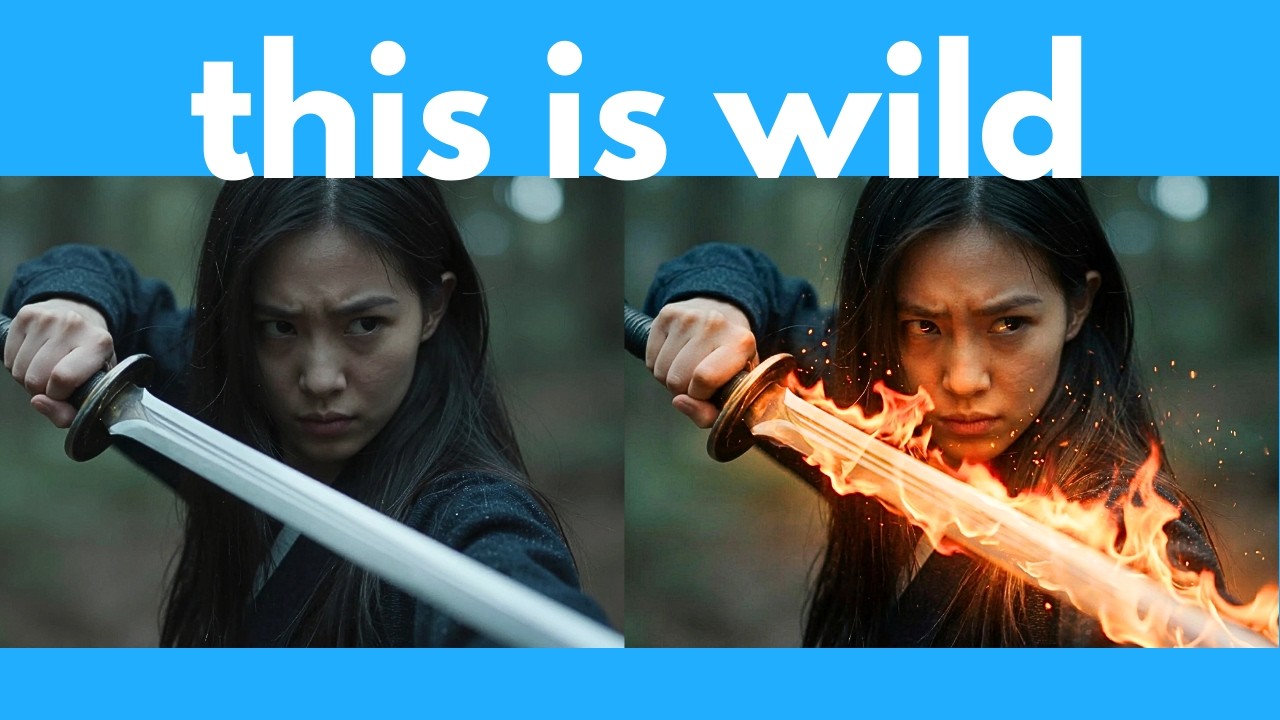
Kling O1 allows users to prompt specific object modifications, such as turning a sword into a flaming blade within existing footage.
- 07:23 ↗
Custom element creation allows users to upload reference photos to generate consistent characters and objects across multiple shots.
Workflow outlined in the video
- Sign up for a free Kling account to access the O1 model interface for direct video-to-video editing.
- Test background swapping and object replacement prompts on existing footage to streamline your post-production fixes.
- Create custom character elements using multiple reference angles to maintain consistency in multi-shot AI narratives.
Before you use this workflow
These notes describe the source video at its publication date. Model access, pricing, connectors and interfaces may have changed. Check the original source and the provider’s current documentation before installing an add-on, connecting an account or spending credits.
ReelStack has not independently tested this workflow. Preview one representative shot and check motion, continuity and output quality before applying it to a full production. No result, cost saving or model capability is guaranteed.
Explore the tools
How to interpret the numbers
73,583 views captured 23 October 2026. ReelStack recommendation score: 32/100. Formula: radar-v5. This is ReelStack’s calculation, not a YouTube rating or a measure of factual accuracy.
Show the calculation
- 45% performance: 0.63× views vs 12 other channel videos observed at a similar age. View-evidence factor 99% (views / (views + 1,000))
- 25% freshness: 0/100 with a 14-day half-life
- 20% momentum: 3 views/day vs 7 channel baseline (7 comparable uploads), with the same view-evidence factor
- 10% engagement: 91/100; likes + 4× comments, smoothed with a 500-view neutral prior