This Is What Hybrid AI Filmmaking Looks Like
Provides practical techniques for filmmakers wanting to direct actors in simple physical sets while maintaining visual control over AI environment generation using depth maps and first-frame references.
What this lesson covers
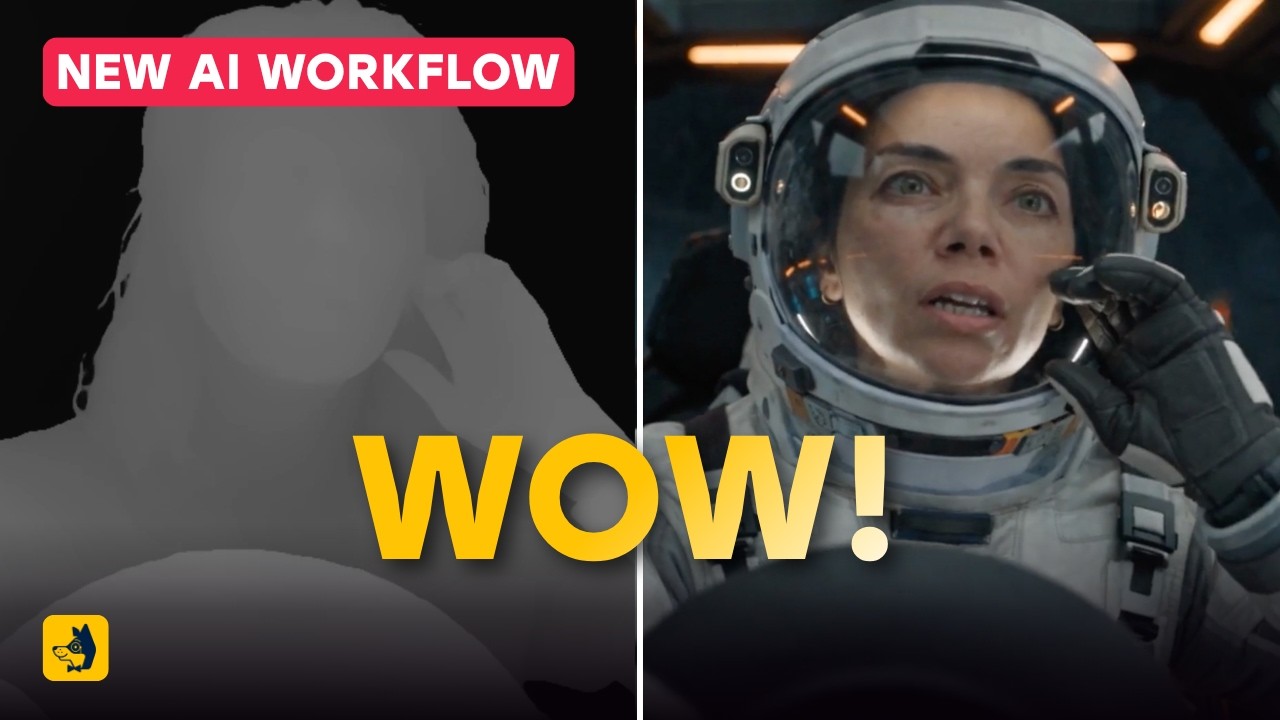
Caleb from Curious Refuge breaks down a hybrid AI filmmaking workflow combining flat-lit graybox live-action footage with AI video models. He demonstrates how styling an exported initial frame and using depth maps inside Magnific and Seedance 2.5 achieves consistent, controllable environmental replacement.
Key takeaways from the creator
AI-extracted notes, not independently verified product claims. Timestamp links let you check each point in the original video.
- 0:10 ↗
Grayboxing involves shooting actors in a plain studio environment with flat diffusion lighting to serve as a base for AI background replacement.
- 1:03 ↗
Relying purely on text prompts when feeding video into AI generators causes environmental inconsistency across renders.
- 2:13 ↗
Exporting the first frame from editing software and restyling it with an image model provides a visual anchor for subsequent video generation.
- 3:32 ↗
Using a secondary cinematic image reference alongside prompt instructions ensures accurate color grading, lighting, and style transfer.
- 5:08 ↗
Generating a depth map motion reference can help the video model interpret spatial positioning and object depth more reliably.
- 6:33 ↗
Current video-to-video hybrid workflows in Seedance 2.5 support durations up to 30 seconds.
Workflow outlined in the video
- Record live-action acting in a flatly lit, neutral graybox environment mimicking the intended camera movement and blocking.
- Export the very first frame of the clip as a still image using video editing software like Adobe Premiere Pro.
- Upload the frame to an AI image tool (such as GPT 2.5 in Magnific) along with a style reference image to generate a photorealistic starting frame.
- Generate a depth map video of the live-action footage to act as an optional spatial and motion guide.
- Load the stylized first frame and the source video (or depth map) into Seedance 2.5, set the resolution to 1080p, match the clip duration, and generate the final scene.
Before you use this workflow
These notes describe the source video at its publication date. Model access, pricing, connectors and interfaces may have changed. Check the original source and the provider’s current documentation before installing an add-on, connecting an account or spending credits.
ReelStack has not independently tested this workflow. Preview one representative shot and check motion, continuity and output quality before applying it to a full production. No result, cost saving or model capability is guaranteed.
Explore the tools
How to interpret the numbers
12,903 views captured 23 September 2026. ReelStack recommendation score: 55/100. Formula: radar-v5. This is ReelStack’s calculation, not a YouTube rating or a measure of factual accuracy.
Show the calculation
- 65% performance: 0.53× current views vs the channel's recent median; same-age history is not yet available. View-evidence factor 93% (views / (views + 1,000))
- 25% freshness: 98/100 with a 14-day half-life
- Momentum pending: collecting daily snapshots; its 20% weight goes to observed performance, not free points
- 10% engagement: 98/100; likes + 4× comments, smoothed with a 500-view neutral prior