The NEW Way To Get Perfect AI Character Consistency
Provides an updated character consistency workflow that replaces static reference sheets with continuous 360-degree video turntables for AI video models.
What this lesson covers
AI Samson demonstrates a technique to maintain character consistency in AI video generation using 360-degree rotation video references. He walks through generating initial character frames, multi-angle reference sheets, turntable video references, and final scene generation.
Key takeaways from the creator
AI-extracted notes, not independently verified product claims. Timestamp links let you check each point in the original video.
- 00:50 ↗
Video references allow AI models to understand complex 3D shapes and continuity better than static multi-angle reference sheets.
- 01:48 ↗
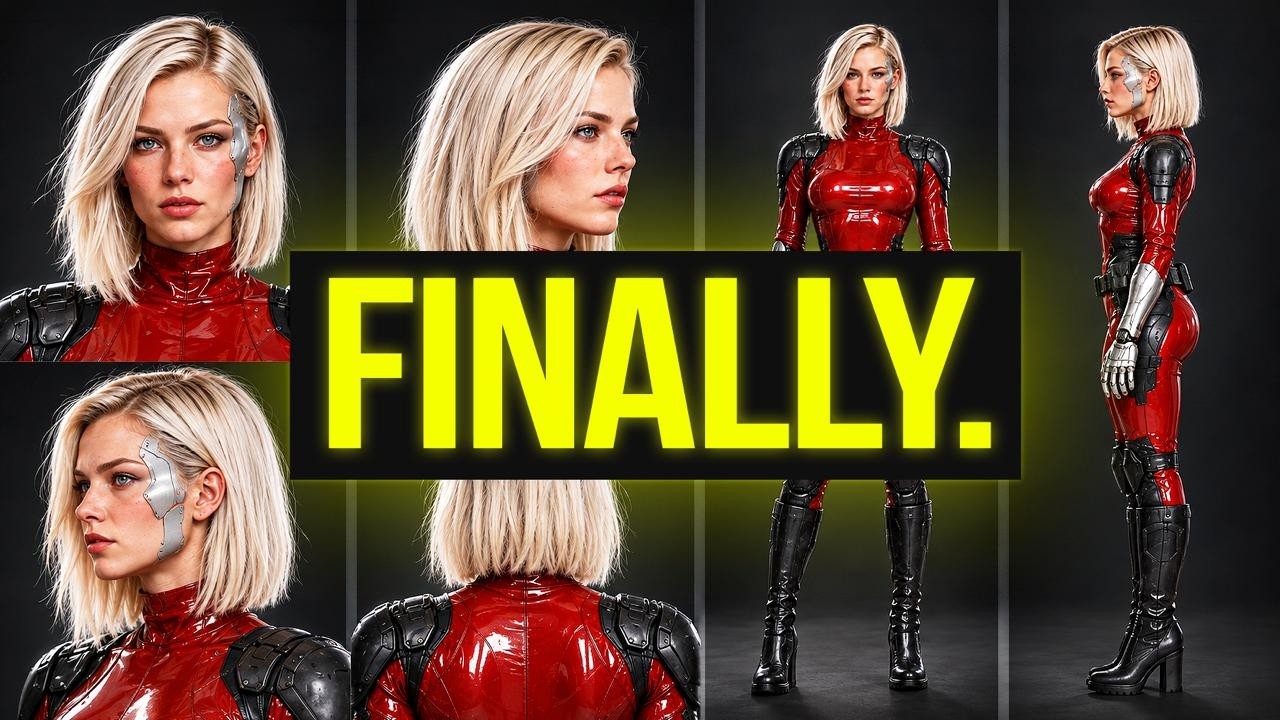
Creating a split-frame start image featuring a full body on one side and a close-up face on the other maximizes detail fidelity in reference assets.
- 03:24 ↗
Generating a 360-degree turntable video with a static camera provides continuous visual data across all character angles.
- 04:54 ↗
Inputting both the static character sheet and the 360-degree rotation video using at-mentions in the prompt yields optimal scene consistency.
Workflow outlined in the video
- Define the core character attributes and generate an initial portrait.
- Generate a 16:9 split-frame image showing the character's full body on the left and full face on the right.
- Create a character reference sheet displaying specific front and back details.
- Input the character images into a video model like Seedance 2.5 with a locked-camera rotation prompt to produce a 360-degree turntable video.
- Attach both the reference sheet and the 360-degree video reference in your scene prompt using at-tagging to generate final video clips.
Before you use this workflow
These notes describe the source video at its publication date. Model access, pricing, connectors and interfaces may have changed. Check the original source and the provider’s current documentation before installing an add-on, connecting an account or spending credits.
ReelStack has not independently tested this workflow. Preview one representative shot and check motion, continuity and output quality before applying it to a full production. No result, cost saving or model capability is guaranteed.
Explore the tools
How to interpret the numbers
35,783 views captured 30 October 2026. ReelStack recommendation score: 79/100. Formula: radar-v5. This is ReelStack’s calculation, not a YouTube rating or a measure of factual accuracy.
Show the calculation
- 65% performance: 2.87× views vs 9 other channel videos observed at a similar age. View-evidence factor 97% (views / (views + 1,000))
- 25% freshness: 98/100 with a 14-day half-life
- Momentum pending: collecting daily snapshots; its 20% weight goes to observed performance, not free points
- 10% engagement: 79/100; likes + 4× comments, smoothed with a 500-view neutral prior