How to Swap Anyone Into Any Video With Al (Higgsfield Genjutsu)
Provides AI filmmakers and commercial ad creators with a practical, step-by-step pipeline for character consistency, environment swapping, and product replacement using Higgsfield Genjutsu.
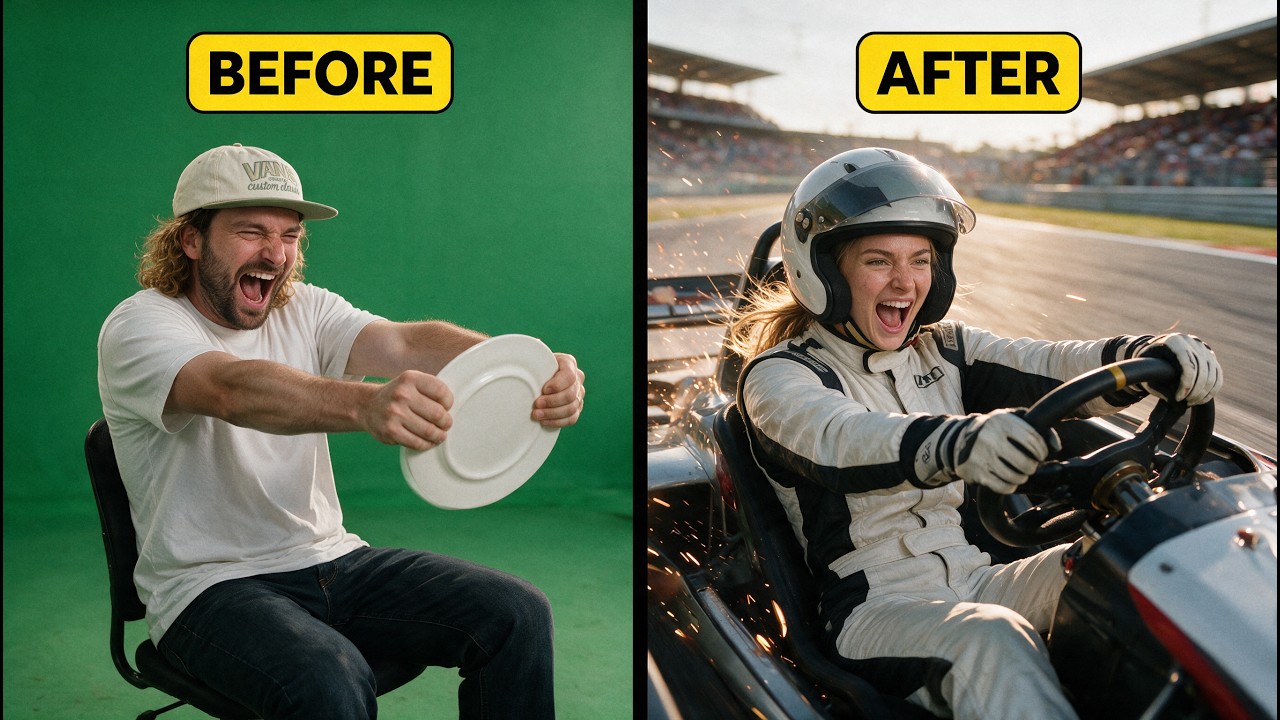
What this lesson covers
Rourke presents a four-step workflow using Higgsfield Genjutsu to swap characters, backgrounds, and handheld props in video footage. He demonstrates how to generate multi-view reference sheets, prompt background locations via Claude and Midjourney, and execute product replacements for video ad variations.
Key takeaways from the creator
AI-extracted notes, not independently verified product claims. Timestamp links let you check each point in the original video.
- 01:20 ↗
Shoot source footage with a steady camera while keeping the subject's face clearly visible and holding props clearly in front of the camera.
- 02:24 ↗
Generate multi-angle character sheets showing front, side, back, and close-up views to provide visual reference for video replacement models.
- 03:06 ↗
Use GPT Image 2 inside Higgsfield to generate character sheets that avoid plastic skin textures and retain realistic details.
- 05:48 ↗
Use Claude to draft Midjourney prompts inspired by reference images to avoid direct copyright infringement when re-creating locations.
- 07:45 ↗
Compile multi-angle product screenshots into prop reference sheets to ensure high-fidelity prop replacements in video clips.
Workflow outlined in the video
- Film source video footage using a steady camera, ensuring clear face visibility and distinct handheld prop placement.
- Take a still screenshot of the subject's face from the source video to serve as a reference image.
- Generate a 4-view character sheet in Higgsfield using GPT Image 2 by specifying outfit and character details.
- Upload the source video and character sheet into Higgsfield Genjutsu with instructions to replace the character's outfit while keeping motion identical.
- Upload a location reference image to Claude to generate an inspired Midjourney prompt, then render the new background image.
- Upload the character-swapped video and new background image into Higgsfield Genjutsu to perform the location swap.
- Gather multi-angle product images, generate a product sheet in Higgsfield, and use Genjutsu to replace handheld props in the scene.
Before you use this workflow
These notes describe the source video at its publication date. Model access, pricing, connectors and interfaces may have changed. Check the original source and the provider’s current documentation before installing an add-on, connecting an account or spending credits.
ReelStack has not independently tested this workflow. Preview one representative shot and check motion, continuity and output quality before applying it to a full production. No result, cost saving or model capability is guaranteed.
Explore the tools
How to interpret the numbers
23,705 views captured 30 October 2026. ReelStack recommendation score: 49/100. Formula: radar-v5. This is ReelStack’s calculation, not a YouTube rating or a measure of factual accuracy.
Show the calculation
- 45% performance: 0.67× views vs 3 other channel videos observed at a similar age. View-evidence factor 96% (views / (views + 1,000))
- 25% freshness: 84/100 with a 14-day half-life
- 20% momentum: 3412 views/day vs 6939 channel baseline (3 comparable uploads), with the same view-evidence factor
- 10% engagement: 45/100; likes + 4× comments, smoothed with a 500-view neutral prior