How to Create EPIC AI Films With WAN Animate & WAN 2.5 (Open Source and Uncensored)
Open-source character animation and swap tools like WAN 2.2 provide filmmakers with local, highly flexible alternatives for performance capture and actor replacement.
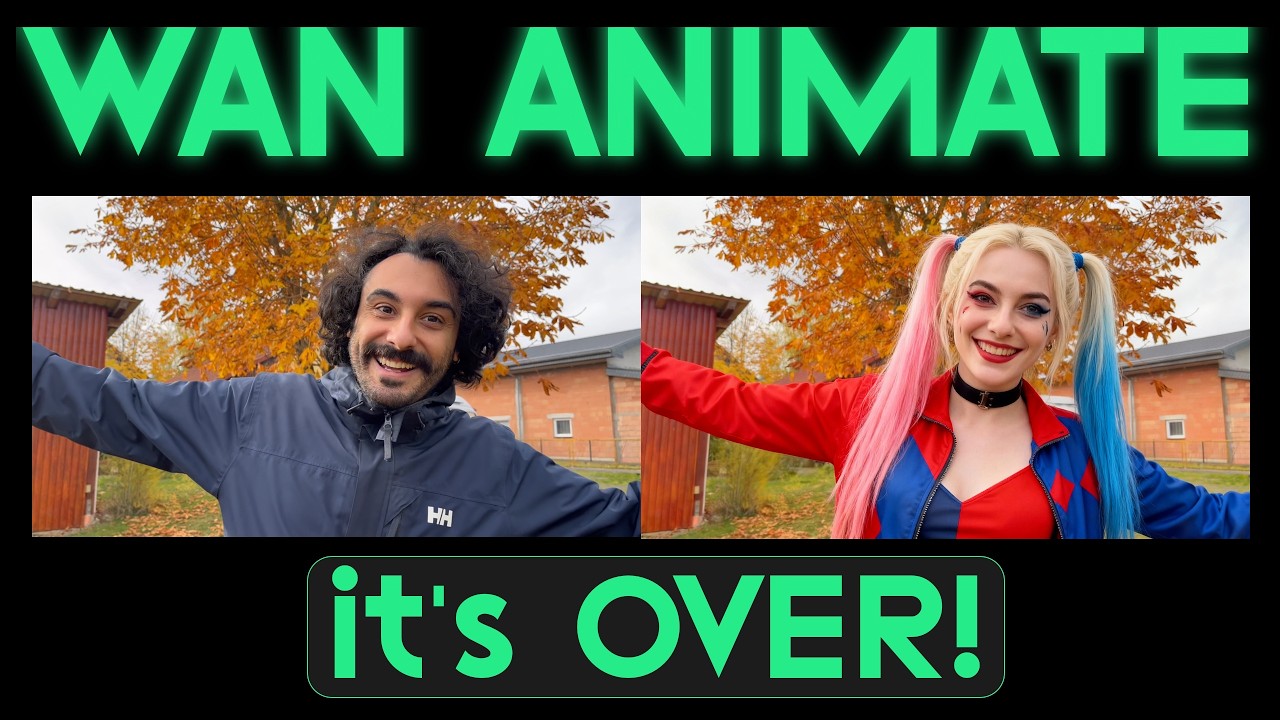
What this lesson covers
This tutorial explores WAN 2.2 Animate and WAN 2.5, demonstrating advanced character swap and photo animation workflows. It covers practical applications for AI video replacement, body tracking limitations, and cross-model comparisons.
Key takeaways from the creator
AI-extracted notes, not independently verified product claims. Timestamp links let you check each point in the original video.
- 1:39 ↗
WAN 2.2 Animate features character swap and photo animate workflows to map source video performances onto new character images.
- 2:25 ↗
Selecting the pro option when generating with character swap on WAN's website yields significantly better tracking results.
- 6:08 ↗
Long hair in source performances can cause edge artifacts when swapped onto bald or short-haired target characters.
- 7:03 ↗
Photo animate matches a still image with a performance video, but object sizes and visible limbs must align to prevent tracking errors.
Workflow outlined in the video
- Access WAN 2.2 Animate via its official website or integrated platforms like Higgsfield.
- Upload a source performance video and a reference character image to execute a character swap.
- Ensure your source performance clearly displays all limbs and hands on screen to maintain tracking coherence.
- Match object thicknesses between your reference image and performance video to avoid rendering distortions.
Before you use this workflow
These notes describe the source video at its publication date. Model access, pricing, connectors and interfaces may have changed. Check the original source and the provider’s current documentation before installing an add-on, connecting an account or spending credits.
ReelStack has not independently tested this workflow. Preview one representative shot and check motion, continuity and output quality before applying it to a full production. No result, cost saving or model capability is guaranteed.
Explore the tools
How to interpret the numbers
36,150 views captured 22 October 2026. ReelStack recommendation score: 50/100. Formula: radar-v5. This is ReelStack’s calculation, not a YouTube rating or a measure of factual accuracy.
Show the calculation
- 65% performance: 2.43× views vs 3 other channel videos observed at a similar age. View-evidence factor 97% (views / (views + 1,000))
- 25% freshness: 0/100 with a 14-day half-life
- Momentum pending: collecting daily snapshots; its 20% weight goes to observed performance, not free points
- 10% engagement: 48/100; likes + 4× comments, smoothed with a 500-view neutral prior