Building AI Music Channels That Run 24/7 Automatically
Automated pipelines utilizing workflow orchestration tools remove manual overhead from repetitive content generation, highlighting the shift toward autonomous AI channels.
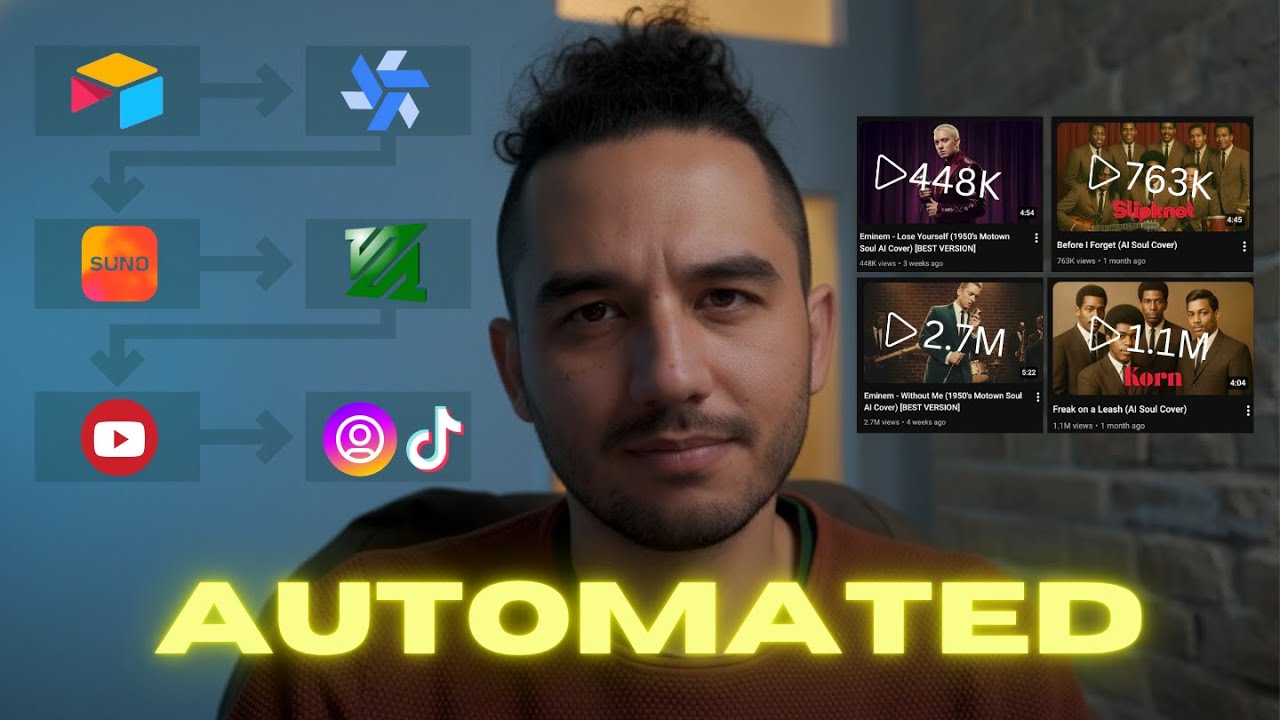
What this lesson covers
This video walks through building a fully automated 24/7 AI music channel using orchestration tools and APIs. It details how to connect Airtable and Windmill with music generation models to create and upload videos continuously.
Key takeaways from the creator
AI-extracted notes, not independently verified product claims. Timestamp links let you check each point in the original video.
- 01:10 ↗
Airtable and Windmill can be combined as an orchestration backend and execution engine to run continuous content pipelines.
- 04:00 ↗
Automating music generation requires interacting directly with platform APIs using custom curl requests and retry logic.
- 05:39 ↗
Workflow builders need explicit wait timers and polling loops to check asynchronous generation statuses without blocking concurrent flows.
- 07:46 ↗
Integrating FFmpeg into automated pipelines enables programmatic video assembly from generated audio and cover art assets.
Workflow outlined in the video
- Define your channel concept, target aesthetic, and visual templates before setting up automations.
- Set up Airtable as your central database and content management sheet.
- Configure Windmill or N8N to handle API requests and asynchronous polling for media generation.
- Implement FFmpeg scripts within your workflow to automatically combine generated music tracks with visual assets.
- Connect your automated asset generation pipeline to publishing tools for 24/7 channel management.
Before you use this workflow
These notes describe the source video at its publication date. Model access, pricing, connectors and interfaces may have changed. Check the original source and the provider’s current documentation before installing an add-on, connecting an account or spending credits.
ReelStack has not independently tested this workflow. Preview one representative shot and check motion, continuity and output quality before applying it to a full production. No result, cost saving or model capability is guaranteed.
Explore the tools
How to interpret the numbers
3,344 views captured 24 October 2026. ReelStack recommendation score: 52/100. Formula: radar-v5. This is ReelStack’s calculation, not a YouTube rating or a measure of factual accuracy.
Show the calculation
- 65% performance: 8.10× views vs 3 other channel videos observed at a similar age. View-evidence factor 77% (views / (views + 1,000))
- 25% freshness: 0/100 with a 14-day half-life
- Momentum pending: collecting daily snapshots; its 20% weight goes to observed performance, not free points
- 10% engagement: 75/100; likes + 4× comments, smoothed with a 500-view neutral prior